In today’s tech-driven world, keeping our devices charged and ready often feels like a constant task. Phones, tablets, laptops, headphones, and other gadgets all need power, but tangled cables and scattered chargers can quickly create clutter. Setting up a dedicated charging station at home is a smart way to keep everything organised, accessible, and efficiently powered.
This guide will walk you through the process of creating a functional and tidy charging station that suits your needs.
Why Set Up a Charging Station?
Before diving into the setup, it’s helpful to understand the benefits of having a dedicated charging station:
– Organisation: Keep all your cables, chargers, and devices in one place.
– Efficiency: Charge multiple gadgets simultaneously without searching for outlets.
– Longevity: Proper charging can help maintain battery health.
– Aesthetic: Reduces clutter and makes your space look neat and tidy.
Step 1: Choose the Right Location
Selecting the appropriate spot for your charging station is crucial.
– Accessibility: Pick a central area easily accessible to all household members, such as a living room corner, kitchen counter, or home office desk.
– Power Source: Ensure the location has easy access to electrical outlets. It’s best if these are low to the surface to avoid stretching cords.
– Ventilation: Avoid cramped spaces where devices might overheat while charging.
– Surface: A flat, stable surface like a small table, shelf, or charging dock is ideal.
Step 2: Gather Your Supplies
To build an efficient charging station, you’ll need:
– Charging hub or power strip: Opt for one with multiple USB ports and enough power output for your devices.
– Charging cables: Keep a variety of cables matching your devices (e.g., USB-C, Lightning, micro-USB).
– Cable management tools: Cable clips, ties, or sleeves to reduce tangles.
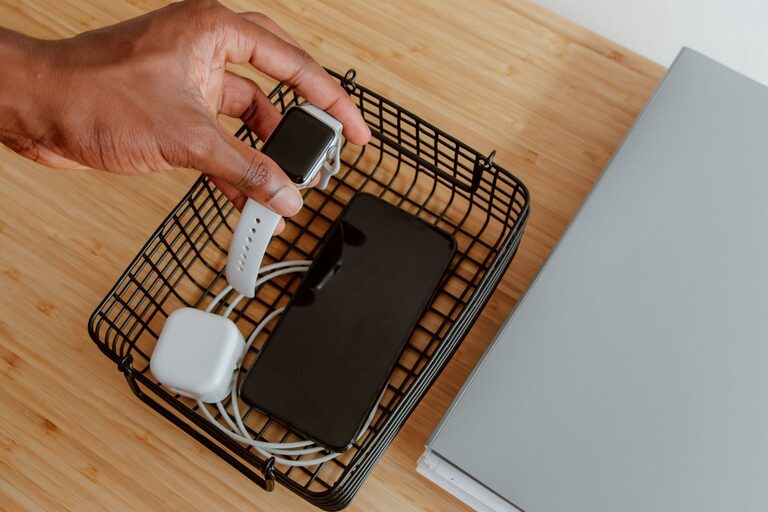
– Storage containers or trays: Small baskets or boxes to hold chargers and accessories.
– Labels: Optional, but useful for identifying cables or charging ports.
– Device stands or holders: To keep devices upright and visible while charging.
Step 3: Set Up the Power Station
Start by plugging in your charging hub or power strip into the outlet. Consider a surge protector to safeguard your devices against electrical spikes.
Tips for Choosing a Charging Hub
– Look for hubs that support fast charging if your devices are compatible.
– USB-C Power Delivery (PD) ports are great for laptops and newer phones.
– Consider wireless charging pads for devices that support Qi wireless charging.
Step 4: Organise and Manage Cables
Cable management is key to a tidy charging station.
– Use cable clips or Velcro ties to bundle cables neatly.
– Position cables so they don’t hang excessively or get tangled.
– If you have a cable box or under-desk cable tray, use it to hide excess cable length.
– Label cables if multiple cables look similar to avoid confusion.
Step 5: Arrange Devices and Accessories
Place your devices in the station in a way that’s easy to access and monitor.
– Use stands or holders to keep devices upright; this also prevents overheating.
– Keep smaller items like wireless earbuds or smartwatches in separate compartments.
– Make sure devices are not stacked directly on top of each other.
Step 6: Maintain Your Charging Station
To keep your charging station efficient and clutter-free:
– Regularly check cables for wear and replace damaged ones.
– Clean the area to avoid dust buildup which can affect connectors.
– Review your device list periodically; remove obsolete chargers or cables.
– Update chargers if new devices with different power needs are added.
Additional Tips
– Portable charging: If you travel frequently, consider a portable charging station or power bank for convenience.
– Shared spaces: Label personal devices and cables clearly if multiple people use the station.
– Safety: Avoid overloading power strips and keep liquids away from the charging area.
Conclusion
Setting up a dedicated charging station is a simple project that saves time, reduces clutter, and keeps all your devices powered in one organised spot. By choosing the right location, investing in a versatile charging hub, managing cables carefully, and arranging your devices thoughtfully, you can create a charging station that enhances your daily routine and keeps your tech ready to go.
Start small and customise your charging station over time to fit your evolving needs – a little organisation can go a long way!
About the Author